Run agent sessions in a workspace

A workspace is a folder you work in, with three things attached: a file tree, its git history, and a launcher for the agent CLIs you already use. Add an existing project folder to launch agents and review their changes in the same app.
Add a workspace
Point the app at a folder. It reads the git state and the file tree, and the folder appears in the sidebar under the machine it lives on. Nothing is copied and nothing is rewritten: it is your working copy, opened.
Start a session
Choose an installed agent from the launcher and review its model, flags, and permissions. Each profile runs that agent's own CLI in the project folder. The launcher also has a plain shell and a file browser. See supported tools for launch and collection coverage.
The agent uses its own subscription or API credentials. A launch profile does not replace its permission settings or prevent it from running Git commands.
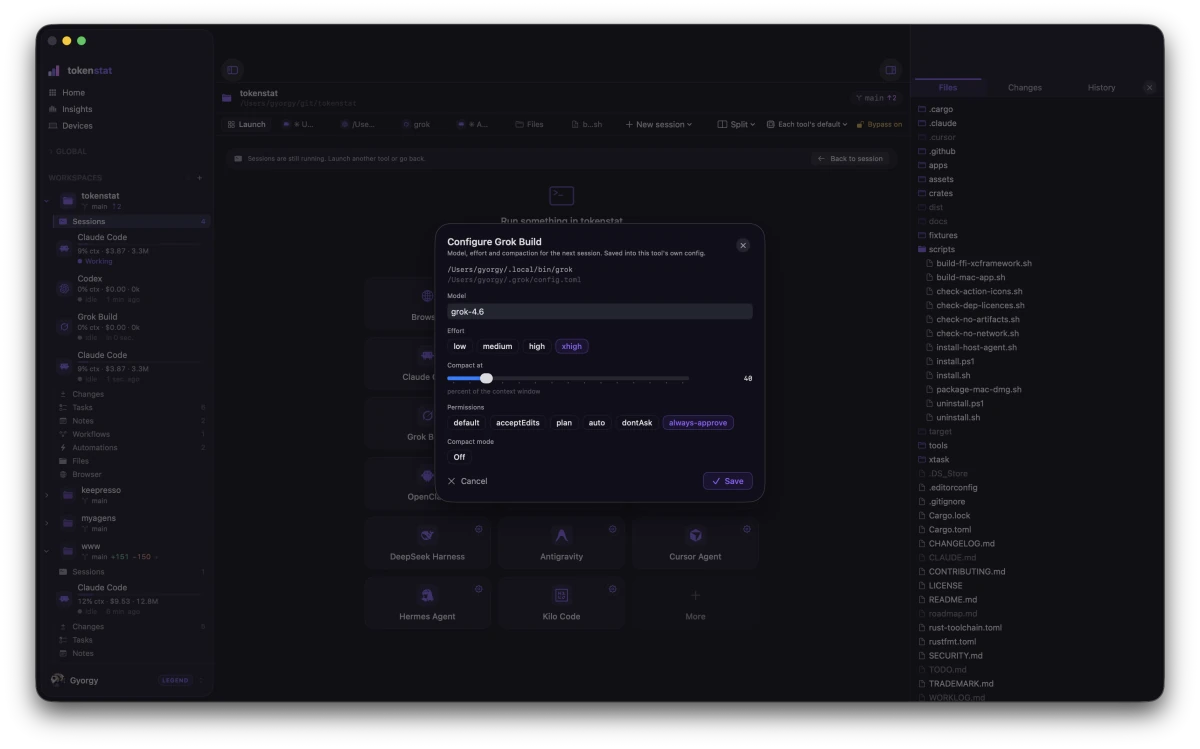
A session is a tab, not a tool, so two Claude Code sessions on two branches are two tabs. Several run side by side in one workspace, and the sidebar shows what each of them is doing without you having to click into it.
Sessions belong to the host process. Closing a window can leave them running while the host remains active. Quitting the app, stopping the service, sleeping, and shutting down the machine are different actions.
Enable Always-on host if work should continue after the desktop app quits. Keep the machine awake and reachable for remote access. See host setup.
Read the usage
Workspace and usage views connect recorded activity to its project. Amounts may be estimated API list-rate value, including subscription-covered work. They are not necessarily additional charges. Coverage depends on what the agent records and when it was collected.
Review before you commit
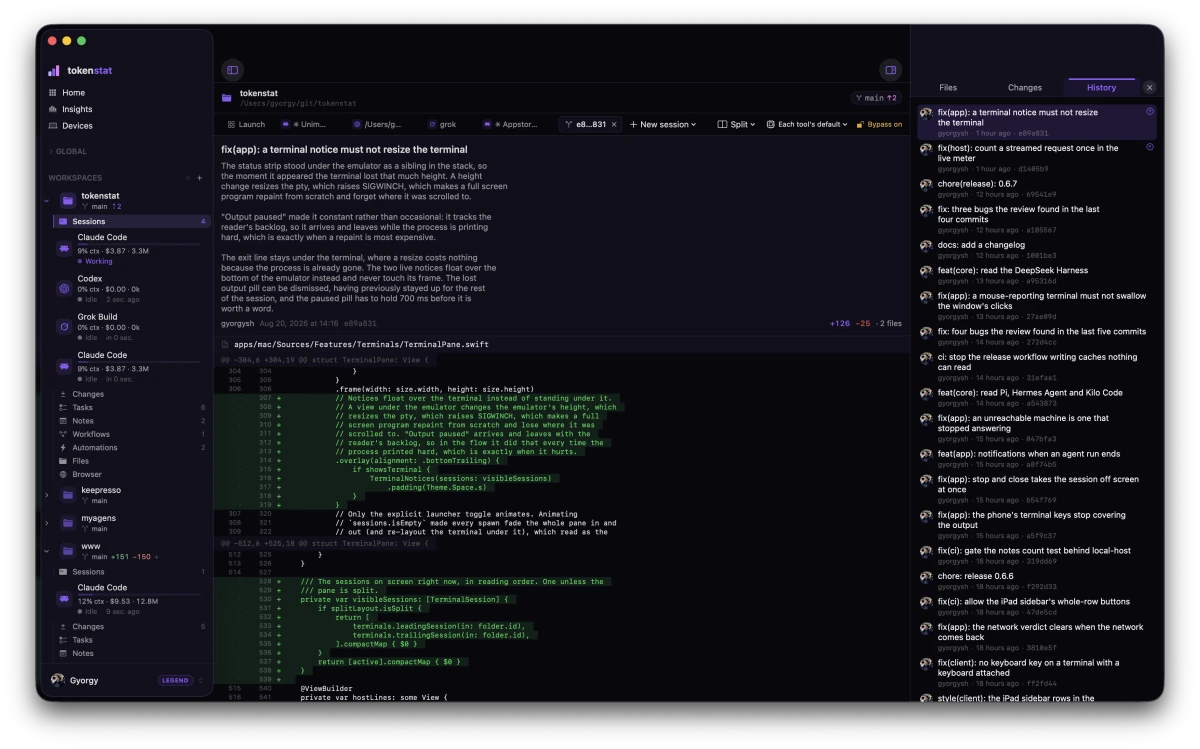
The History panel shows uncommitted changes with a real diff per file, a change count, and a commit box. Use the review controls to choose what to stage and commit. Agents and command steps can also change Git state according to their permissions and instructions. The review UI does not block those actions.
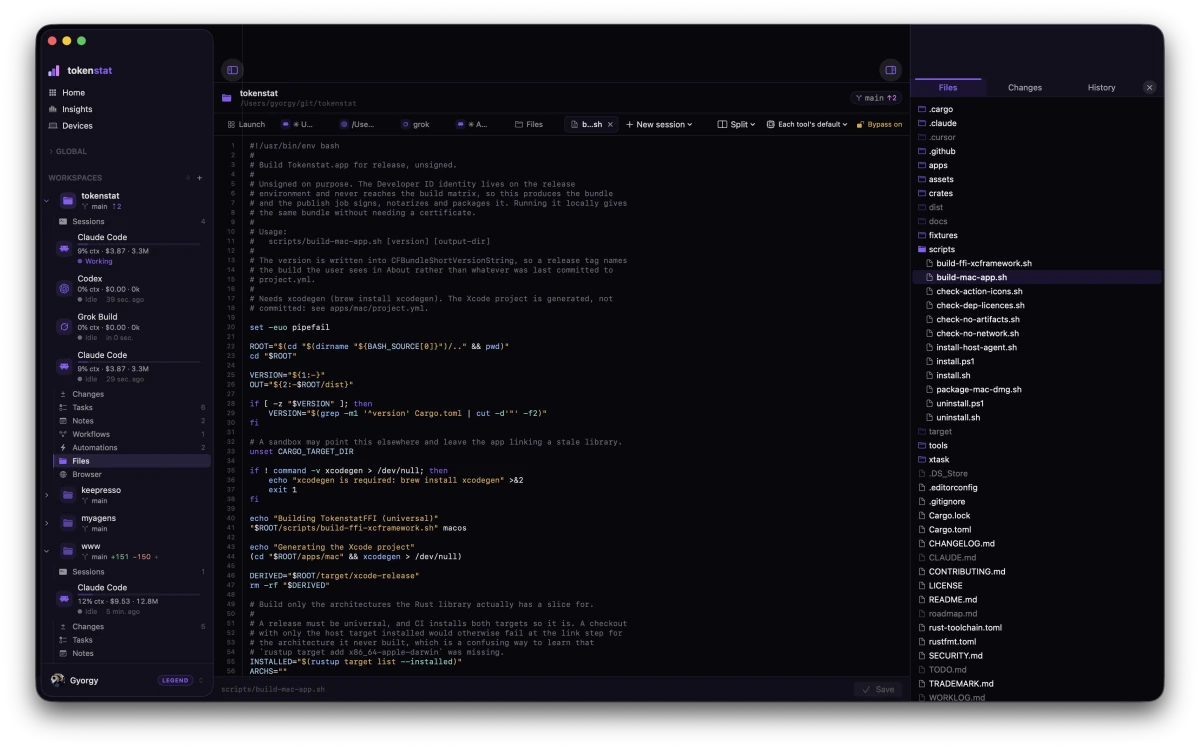
Files open in a file editor beside the sessions: syntax highlighting, line numbers, find, bracket pairing, and changed-line marks in the gutter read from the diff the app already parsed. Saving is explicit. For language-server features or completion, open the file in your preferred editor.
Very large files open unhighlighted and say so, rather than opening slowly.
Related
- The desktop app covers the other surfaces in the window.
- Set up the tokenstat desktop app if you have not installed it yet.
- Let an agent look up its own spend does the same job from the other direction: the agent asks tokenstat.
Let an agent find this workspace
Through tokenstat MCP, an agent can call workspace_list to discover folder IDs and paths, then workspace_context for tasks and notes in one folder or all workspaces. Use the returned workspaceId when creating project tasks or memos. See the setup guide and copyable agent prompt.
More in Desktop app