Command line · macOS, Linux, Windows
One command to read your usage
Your tools already wrote down everything they did. Nobody reads it, because it is scattered across a dozen folders in a dozen formats. One command turns that into a report by tool, model, project, and session. Local reports need no account.
Dollar amounts in the report are the published API price. Work your subscription already covered is not an extra bill.
$ curl -fsSL https://tokenstat.ai/install.sh | bashGetting an answer
Scan once, then read the archive
Run a scan to collect local usage records, then open the report. Other reports read the collected archive. Typing tokenstat on its own opens the full-screen view and refreshes itself if the archive has not been scanned for more than ten minutes.
$ tokenstat scan
$ tokenstat
Filters apply everywhere: --since, --until, --last N, --model, --project. Every command takes --json.
Reference
Commands
| Command | Shows |
|---|---|
| tokenstat | Full-screen interactive client, with tabs, headline stats, and a command field |
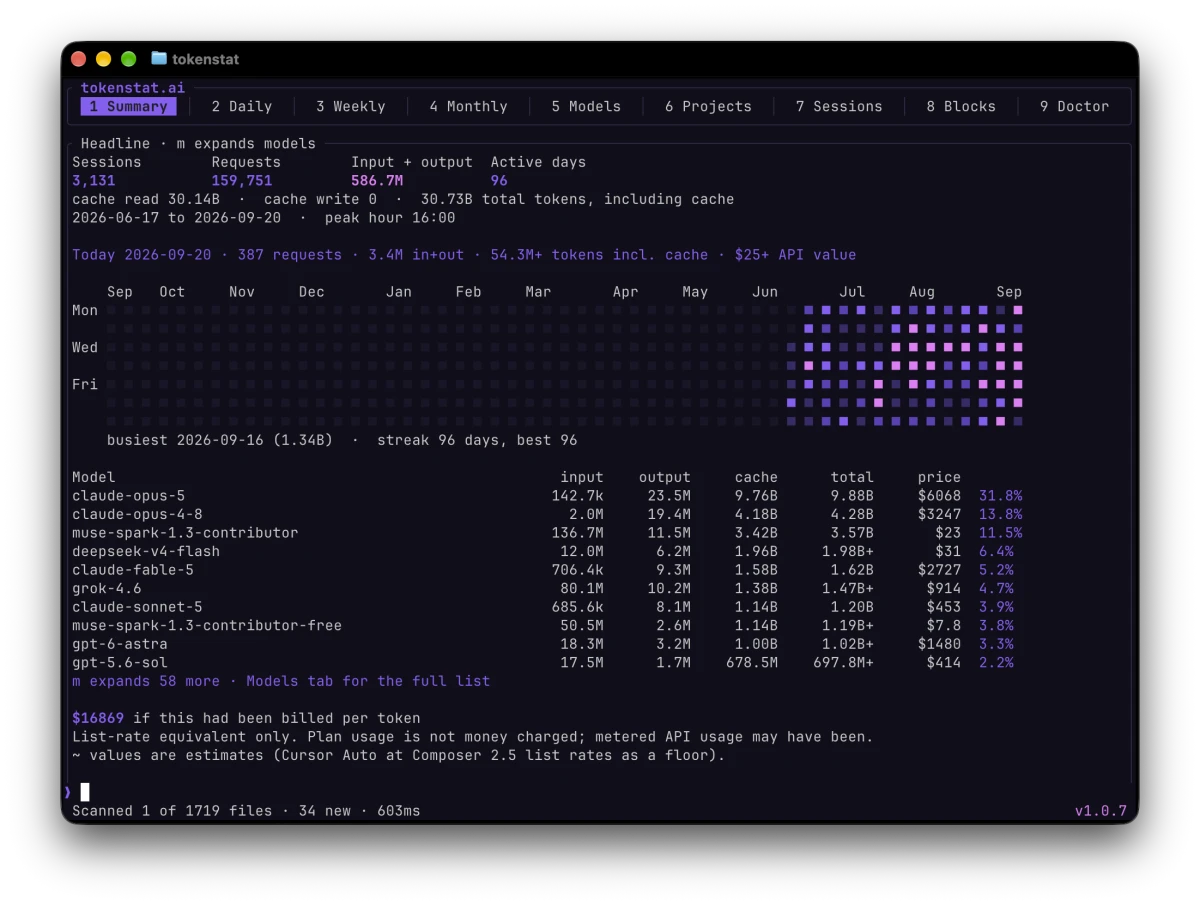
| summary | Headline numbers, the activity grid, and the model breakdown |
| heatmap | The activity heatmap on its own |
| daily · weekly · monthly | Usage per day, ISO week, or month |
| models · projects · sessions | The three breakdowns. models --detail adds context window, capabilities, and benchmark scores |
| blocks | Usage in five-hour windows, the shape Claude-style rate limits use |
| wrapped | A year in review, built from the local archive |
| budget | Soft caps on the published API price, daily or monthly. Advisory, never a charge |
| statusline | One line for a shell prompt or an editor status bar. Reads the archive only, so it stays fast |
| export | CSV or JSON of the events themselves, counters and ids only |
| doctor | Archive health, and a reconciliation against Claude Code's own rollup |
| scan | Read new data from your tools into the archive. Everything else reads that archive |
| setup | Scan, schedule, and optionally connect an account, in one pass. Safe to run again |
| schedule | Install the automatic scan, sync, and update entries for this platform |
| pricing · catalog · plans | The local API prices, model list, and subscription snapshots, refreshed on request |
| auth · fetch | Vendor credentials and remote usage, for the sources that cannot be read off disk |
| login · device · sync · logout | Link this machine to an account and upload sealed aggregates. Opt in |
| update | Check or apply a newer release, verified against the release checksums |
| mcp | A local connection so an agent on this computer can look up usage, tasks, and jobs |
| host | Install, inspect, and manage an always-on host on Linux or macOS |
The help center has the longer version: which command shows what.
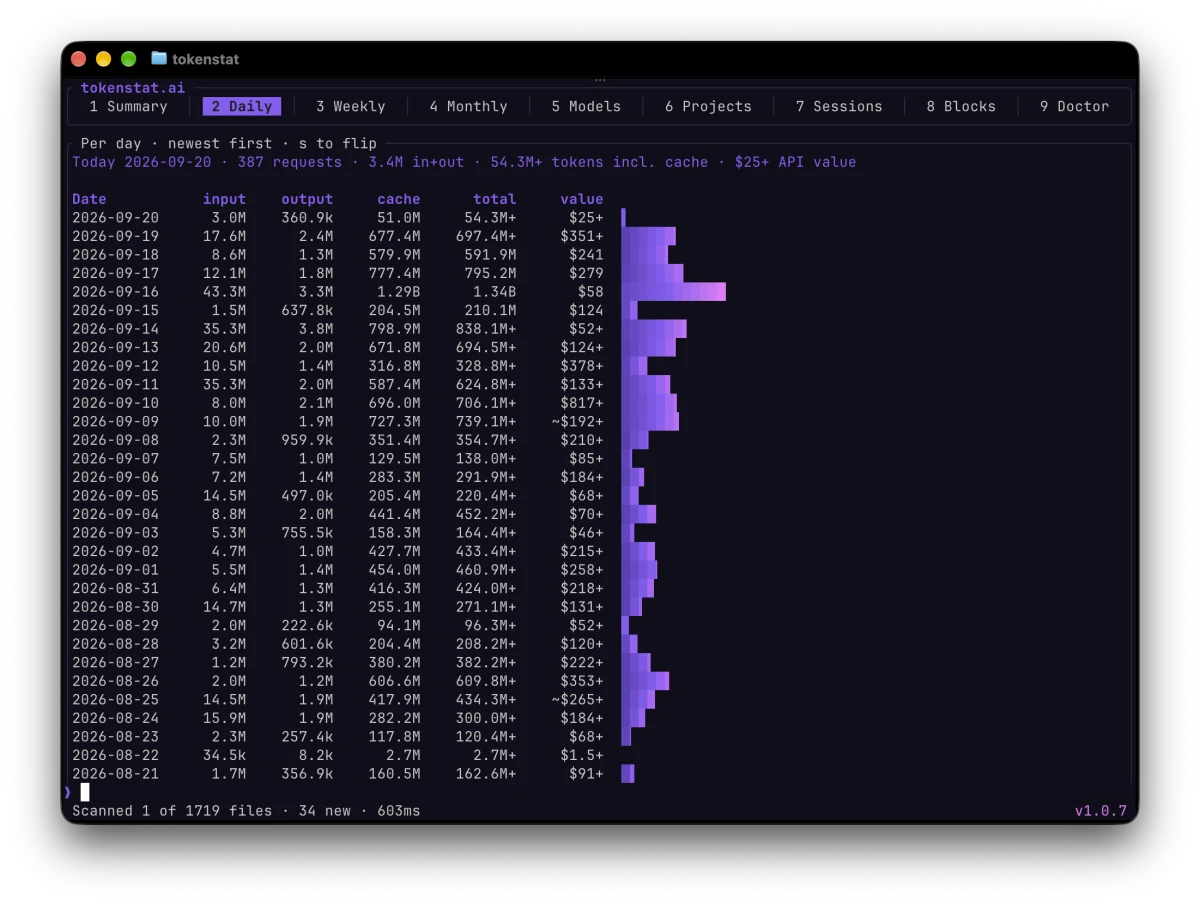
tokenstat daily prints, tab 2 of the same client.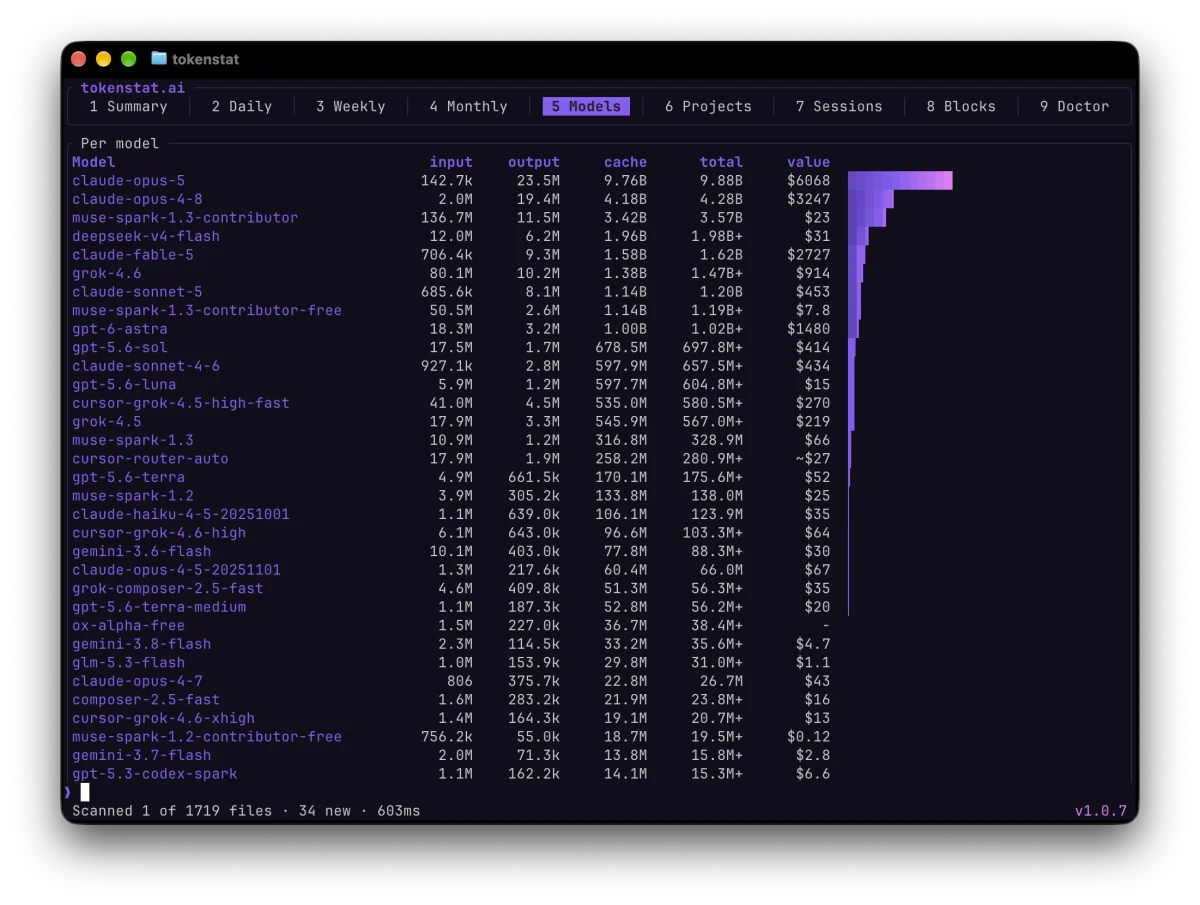
tokenstat models prints, tab 5 of the same client.Preserve your history
Keep usage history as you work
Claude Code removes transcripts after 30 days by default. Scheduled scans preserve their counters before that happens. Older rollups can recover some totals, but do not restore every session detail.
A scan also makes one archive backup per day and keeps seven copies. tokenstat doctor reports their count and size. Backups rotate. Restoring one is a manual action.
Scanning and update settings → · Run an always-on host on Linux or macOS →