The home base for coding agents
Run every agent. Answer from anywhere.
Claude Code, Codex, and the rest, in terminals or chat beside the diff they are writing. See what every session costs across 18 tools, and pick up any of them from your phone, end-to-end encrypted.
Free on your machine. No account, no card, and your agents keep the logins you already have.

Simulated demo with sample data, not a screen recording. Steps are shortened and the app may differ in places. Take the desktop tour →
One app instead of five
- RunAgents in terminals or chat, side by side.instead of
terminal tabs and a chat app - ReviewDiffs, commits, and pull requests beside the agent.instead of
a separate Git client - TrackWhat every session cost, across 18 tools.instead of
a usage spreadsheet - ReachYour machines from your phone, end-to-end encrypted.instead of
SSH from a phone - AutomateQueues, schedules, and workflows that run unattended.instead of
cron jobs and scripts
Reads usage from 18 coding tools, including sessions you start outside the app.
Compatibility- Claude Code
- Codex
- Grok Build
- OpenCode
- Cline
- OpenClaw
- Muse
- Devin CLI
- Kimi Code
- Qwen Code
- Pi
- DeepSeek Harness
- Zed
- Copilot CLI
- Antigravity CLI
- Cursor
- Hermes Agent
- Kilo Code
- Free on your machineNo account, no trial, no card.
- Your logins, not ourstokenstat sells no tokens. Agents use the plan you already pay for.
- Source on GitHubRead the code before you run it.
- Signed and notarizedmacOS 14 or newer, Apple silicon or Intel.
How it works
From an empty folder to a reviewed commit, in one window
Open a project
Pick a folder. Its files, branches, and every agent session already running in it land in one sidebar.
Start the agent you already use
Claude Code, Codex, OpenCode, Grok, and the rest open in their own terminal, signed in with the plan you have.
Review, commit, see the cost
Read the diff, keep the parts you want, and commit. What the session used sits right next to it.
Run and review
Terminal person or chat person?Both, in one window.
Open as many terminal sessions as you like, every one of them tracked. Or talk to the same agents in a chat, with the diff, a browser, and a terminal beside it. No more hopping between a terminal, an editor, and a Git client.
- Pick the agent and model, with plan limits in view
- What it changed, one click to review
- Files, changes, and history beside the chat
Terminals, as many as you need
Tabs and split panes, one agent in each, every session counted.
Or a proper chat
Plan before it acts, open every tool call, drop in files and images.
Hand off when one runs out
Claude at its limit? Pass the conversation to Codex or another agent with its context intact.
A workbench beside it
Changes, a browser, and a terminal next to the conversation, without leaving it.
Commit what you meant
Read the diff, stage the parts you want, then commit or open a pull request.
Arranged your way
Split and swap panes, hide the workbench, and give each workspace its own persona.
Track
Paying for a plan?See what it actually bought.
A subscription hides the meter. tokenstat prices every session at the published API rate, across every coding tool on the machine, so you can tell which model, project, or tool is worth what you pay.
- Counts sessions you started outside the app
- Breaks it down by model, project, tool, and session
- List prices for comparison, never an extra bill
135 active days, 9 models, one machine
- claude-opus-5$6,511
- claude-opus-4-8$3,110
- claude-fable-5$2,727
- gpt-6-astra$2,320
- claude-opus-5-5$1,376
A real tokenstat report. A subscription already covered this work, so the figure measures value, not a bill.
Reach
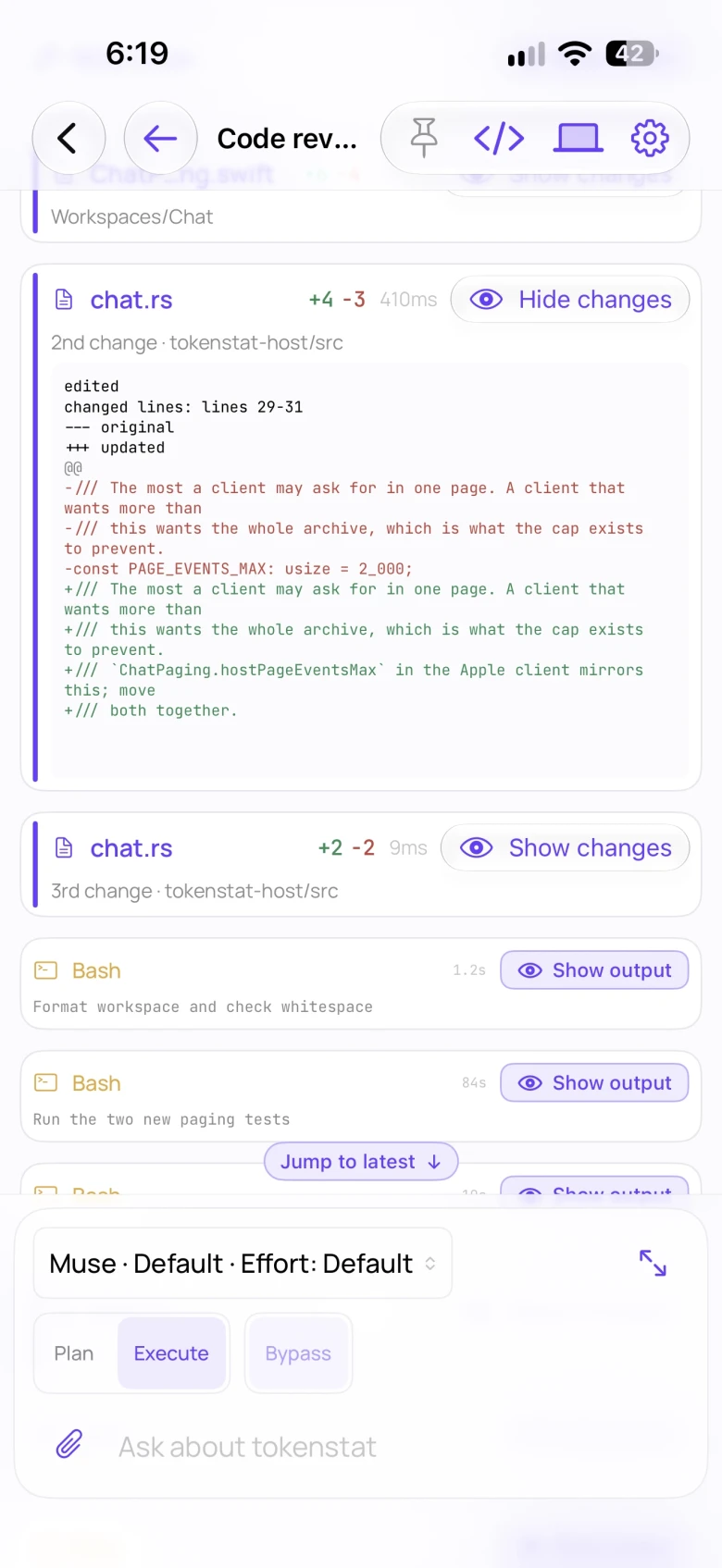
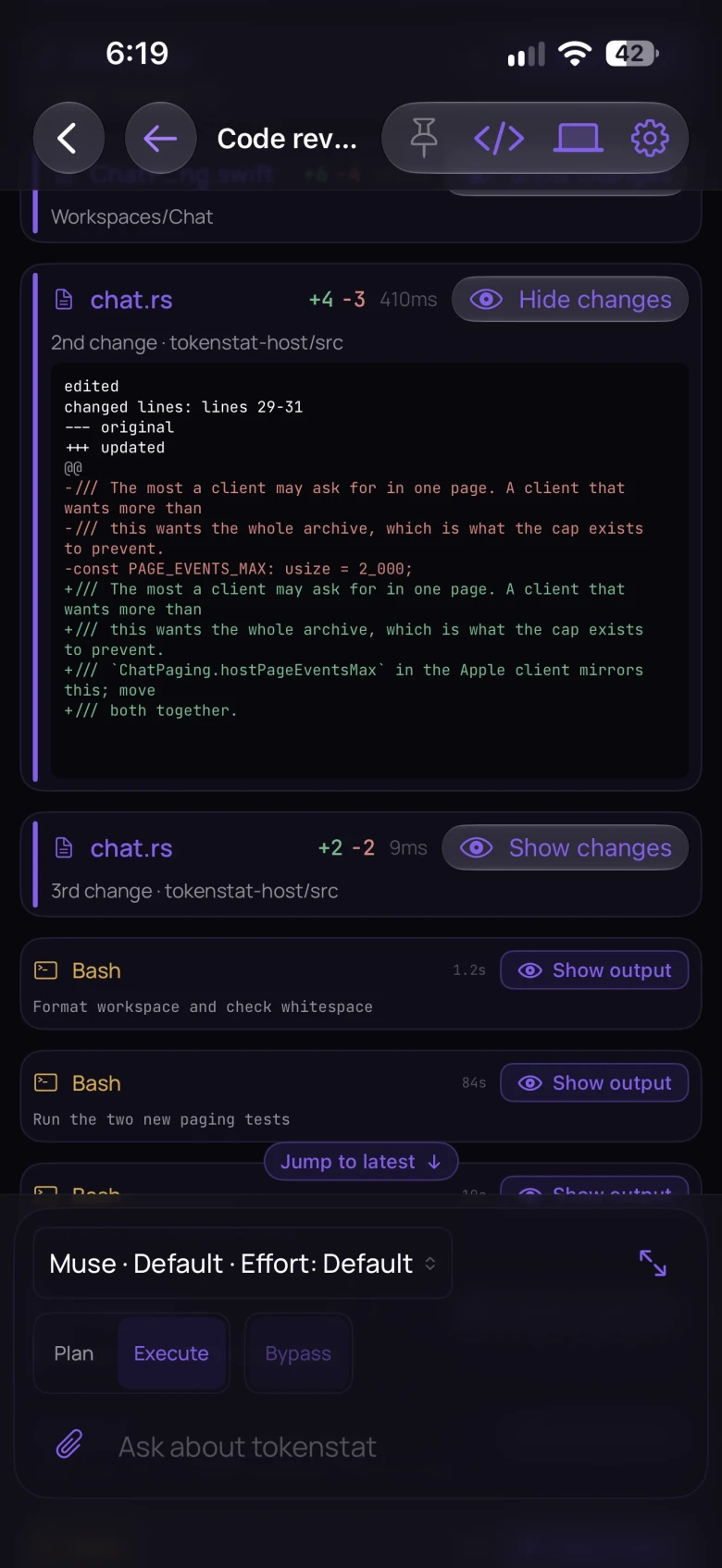
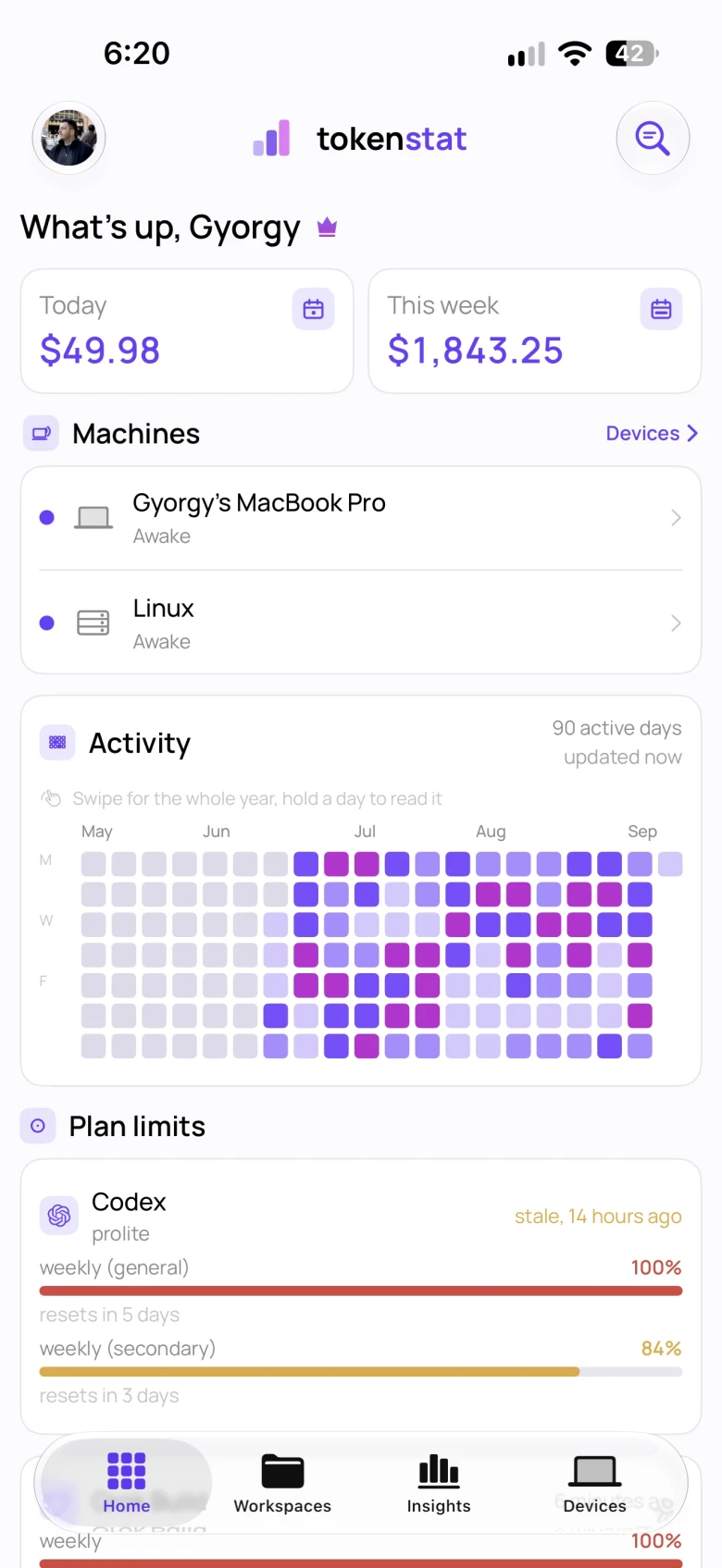
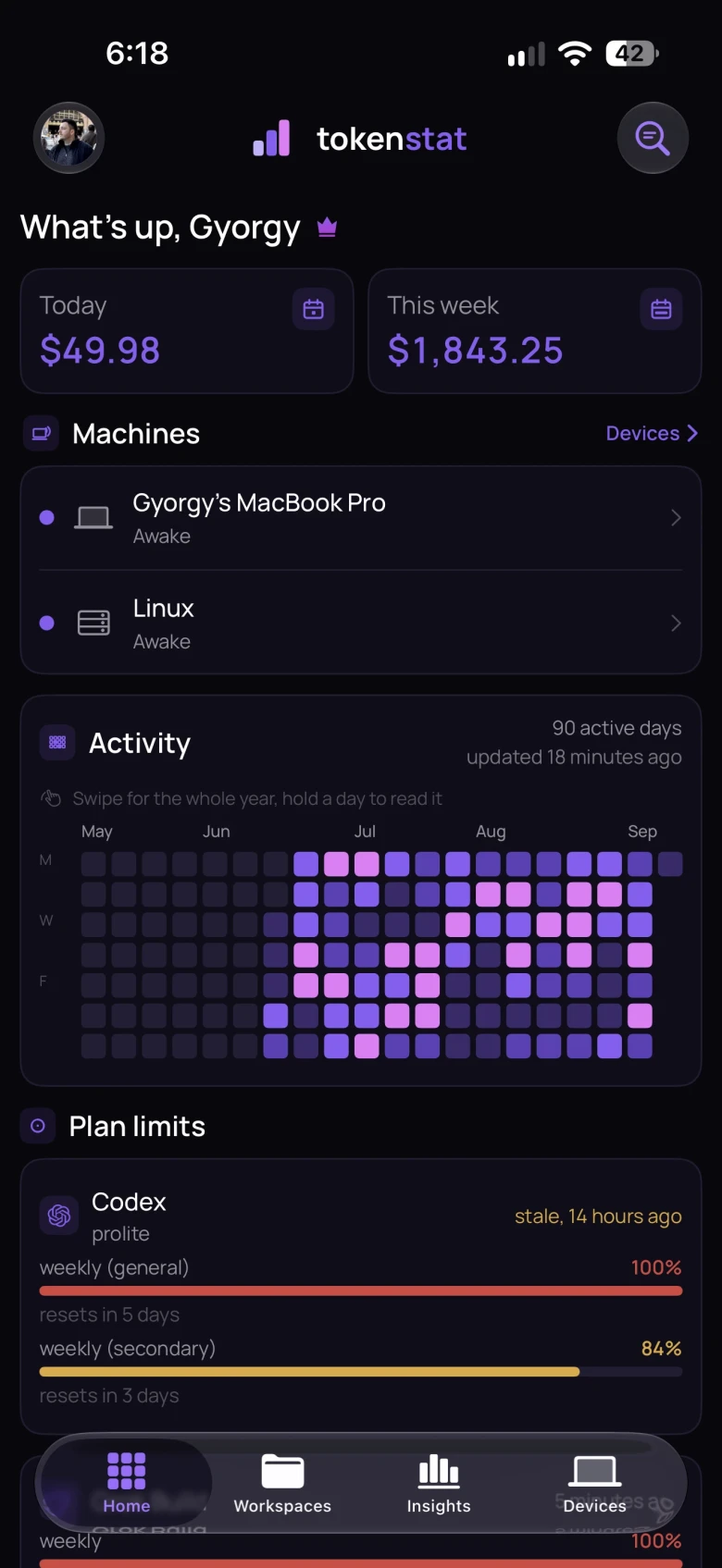
Agent waiting on you?Answer it from your phone.
Your Mac or server keeps doing the work while you are out. When an agent stops to ask, answer it from your phone, look through its files, and let it carry on.
- End-to-end encrypted, direct or through our relay
- Each phone is approved by the computer it opens
- Remote access is free, with a small relay allowance
Automate
Not at the keyboard?The queue keeps going.
Leave a list of tasks before you log off. Agents work through them one by one, checks run on every result, and the board is waiting for you in the morning. Nothing starts on a timer you did not set.
- Task board, schedules, and multi-step workflows
- You decide per step what may run without asking
- Agents can drive it too, through the CLI and MCP
Your data
Your prompts and code never reach our servers
Reports work with no account at all. Sync and remote access are separate switches, and each one sends only what it needs.
On your machine
Files, terminals, agent conversations, and your usage archive stay here. Conversation text never enters the archive.
What the app readsYour tokenstat account
Usage adds up across devices. Prompts, code, folder names, and paths stay on your computer. The upload carries a one-way project id instead.
What sync sendsYour other devices
Open files, terminals, or a screen remotely. The computer approves each device, and screen access needs its own permission.
How device access worksAgents, updates, and vendor lookups use their own connections.Read the connection details
Command line
Prefer the terminal?
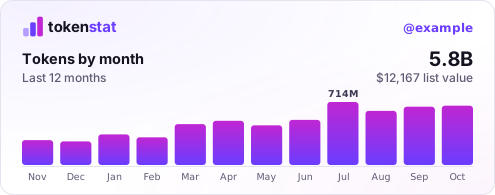
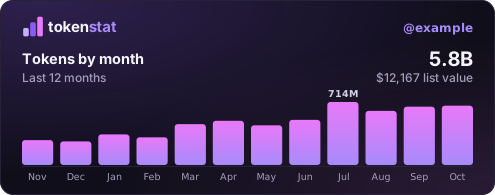
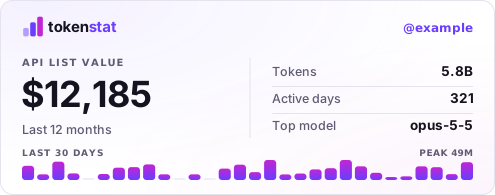
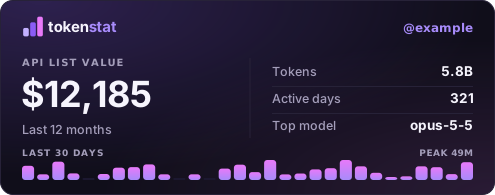
The same usage report runs in your shell on macOS, Linux, and Windows. Export CSV or JSON, or let an agent read the numbers through MCP.
$ curl -fsSL https://tokenstat.ai/install.sh | bashSetup scans the logs already on disk and keeps collecting hourly. Linking an account is optional.
Questions
What people ask before they download
Is tokenstat free?
Local workspaces, usage reports, and the CLI are free and need no account. A free account adds sync and remote access with a small relay allowance; paid plans include more devices, history, and relay traffic. Your coding agents keep using their own subscriptions or API credentials either way.
Does it read my code or my prompts?
Parsing a session log means opening a file that has prompts in it, so the honest answer is that it reads the file and keeps almost none of it. Counters and identifiers go into the usage archive and conversation text is dropped at the parser boundary, which is why the local database holds numbers rather than conversations. Workspace features read your project separately, on your machine.
Does it count sessions I started outside the app?
Yes, and that is the point. tokenstat reads the logs your coding tools already write, so a session you ran in a terminal this morning is in the report whether or not the app was open at the time.
What do the dollar figures mean?
The published API list price for those tokens, so you can compare one model or tool against another. Work your subscription already covered is not an extra bill, and the report says so rather than presenting a plan figure as money charged.
Which coding tools does it read?
Eighteen, including Claude Code, Codex, Cursor, Copilot CLI, Zed, and OpenCode. Most are read from the logs on disk; where a tool keeps no counts locally, the compatibility page says so instead of reporting zero.
Do I need an account?
Not for anything local. An account exists for combining usage across devices, reaching your other machines, and publishing a profile if you want one, and every one of those is something you turn on.
Which operating systems does it run on?
The desktop app is macOS, with a Windows review build and a Linux desktop planned. The CLI runs on macOS, Linux, and Windows. The iPhone and Android apps are available.
Can an agent or a script read the numbers?
The CLI exports CSV and JSON from the same usage archive the app reads, and an agent on that computer can look up projects, tasks, and usage through the MCP server.

Made by György
I run several coding agents at once and wanted their project files, sessions, and usage in one app. I built tokenstat to work with them on my Mac and check in from my phone.
Get started
Your agents are already working. Now you can see them.
Download the Mac app, open a folder, and start the agent you already pay for. Free on your machine.
See all downloads · Source on GitHub
Windows desktop is a review build. Linux desktop is planned. The iPhone and Android apps are available.